See overdue work, today's meetings, unread mail, chat, and replies without opening five modules.
Pulse
Know what needs attention now.
Tasks, meetings, CRM, support, pages, files, chat, and goals — turned into one live operating view for personal focus, team health, and business momentum.
MePriorities, tasks, and replies
TeamHealth, blockers, and load
BusinessRevenue and operational signals
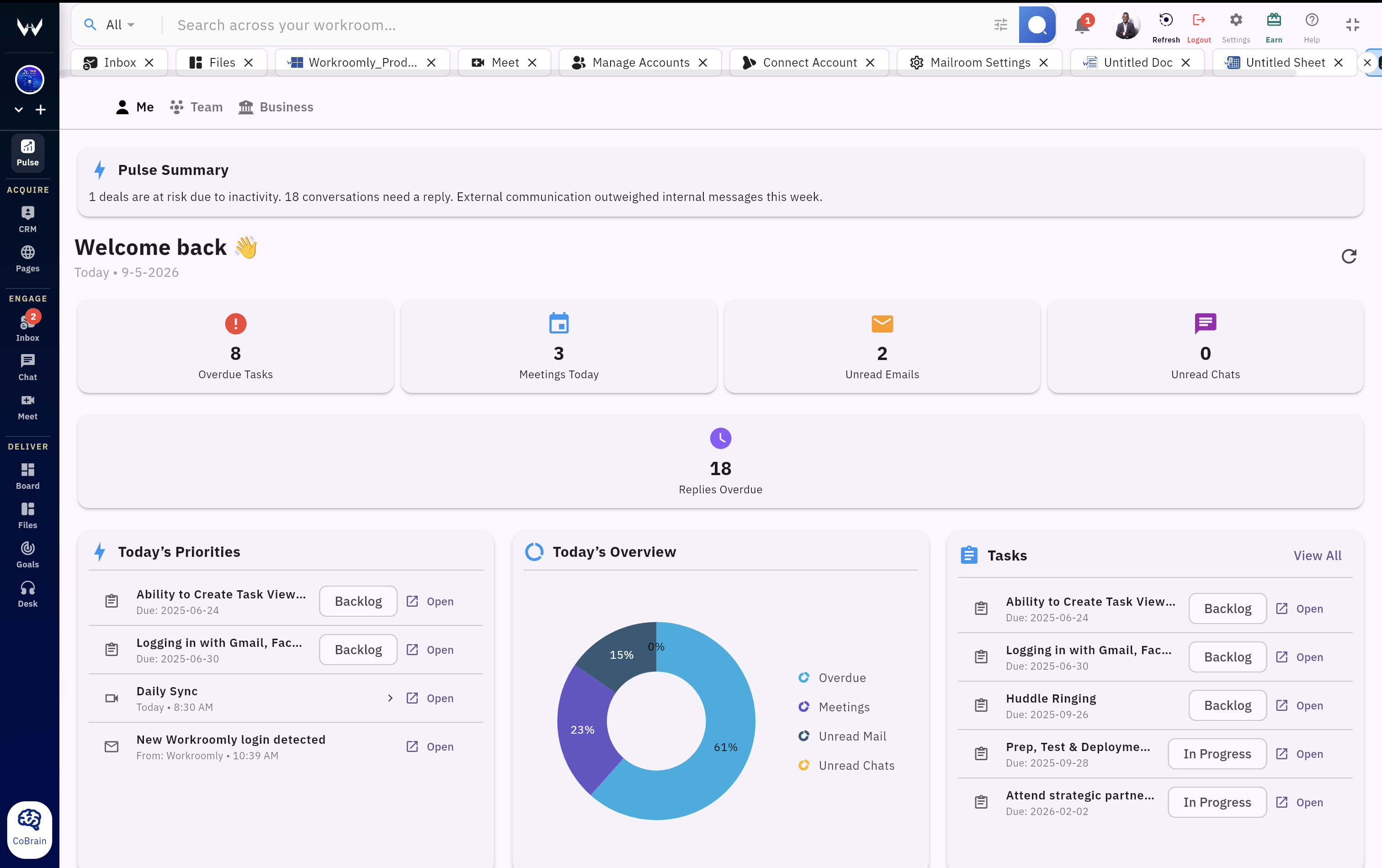
Workroomly Pulse
Know what needs attention now.
Pulse turns tasks, meetings, CRM, support, pages, files, chat, and goals into one live operating view for personal focus, team health, and business momentum.
- Me priorities, meetings, replies, and tasks due
- Team blocked work, open deals, desk load, and pages
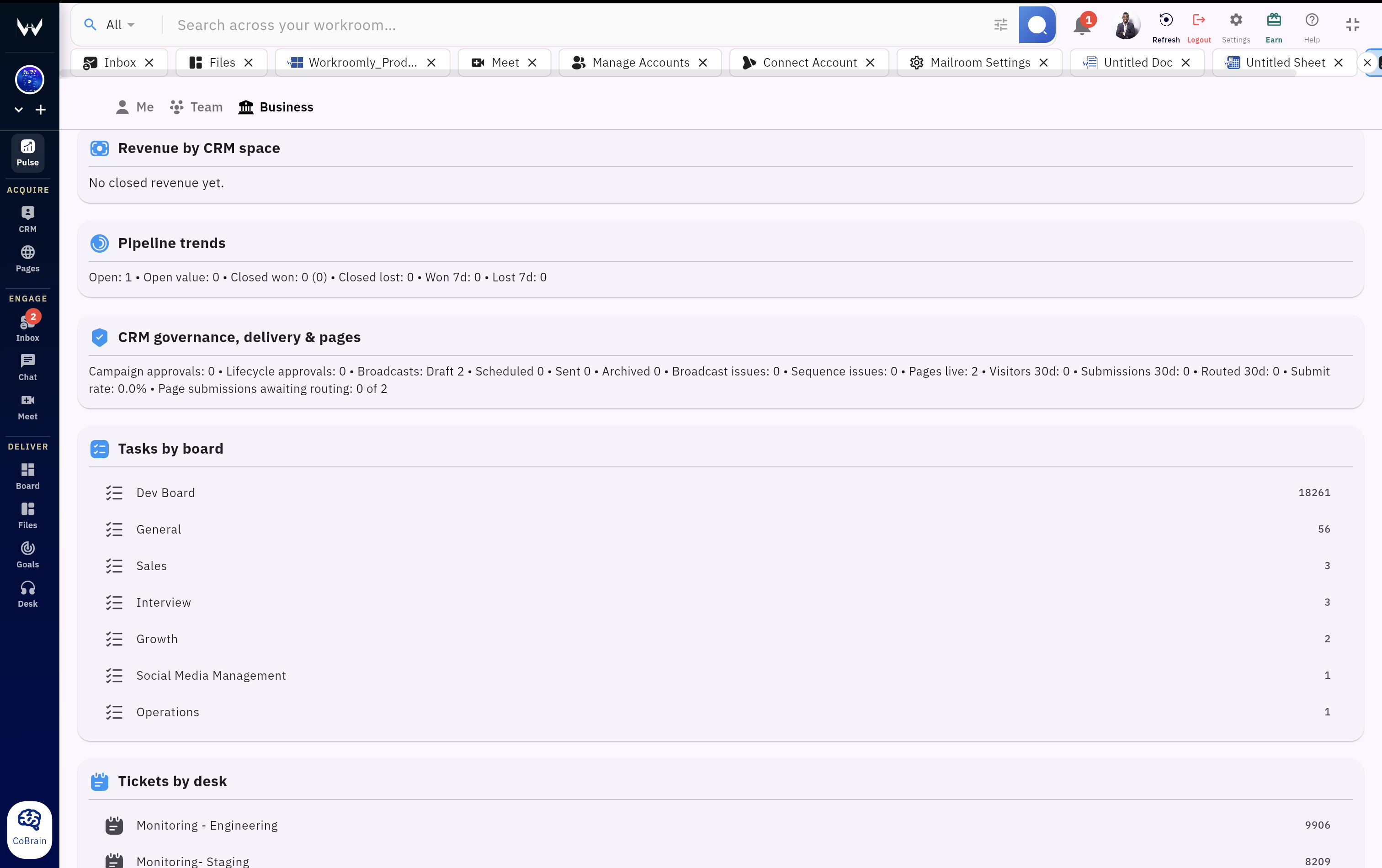
- Business pipeline, revenue, goals, and communication trends
Live health view
AI summary
Deals at risk
Overdue tasks
Open tickets
Spot blockers, task aging, desk load, open deals, pages activity, and communication pressure.
Watch lead intake, deal risk, support escalations, and customer follow-through in one place.
Open the task, email, meeting, ticket, deal, or page from the signal that needs action.
Attention Gap
The real problem is delayed attention.
Teams already create enough data. The gap is knowing which update matters, who owns it, and what should happen next before a customer, deal, or deadline slips.
Before Pulse
- The day starts by checking tasks, inbox, chat, CRM, and meetings separately
- Customer and revenue signals are visible only to the person in that module
- Desk escalations, stale pages, and overdue replies become status meeting topics
- Leaders ask for updates because dashboards do not show what needs action
Impact People stay busy, but the most important follow-through still depends on memory.
With Pulse
- AI summary and metrics show what changed, what is stuck, and where to look
- Me, Team, and Business scopes keep every role focused on the right altitude
- Signals connect back to the task, email, ticket, meeting, deal, page, or goal
- Managers see team load and business health without interrupting execution
Outcome The workspace tells the team what needs attention before work slips.
Operating View
One screen for focus, team health, and business momentum.
Pulse is designed for activation: open it first, read the summary, drill into the risk, and act in the module where the work already lives.
Me Pulse
Personal Priorities Without the Hunt
Give every person a clean start point for the day: AI summary, overdue tasks, meetings, unread mail, chat pressure, pages requests, files, and CRM follow-ups.
- Today's tasks, meetings, and overdue work
- Unread mail, chats, and replies that need attention
- Lead intake, page submissions, and deal follow-through
- One-click path back to the source record
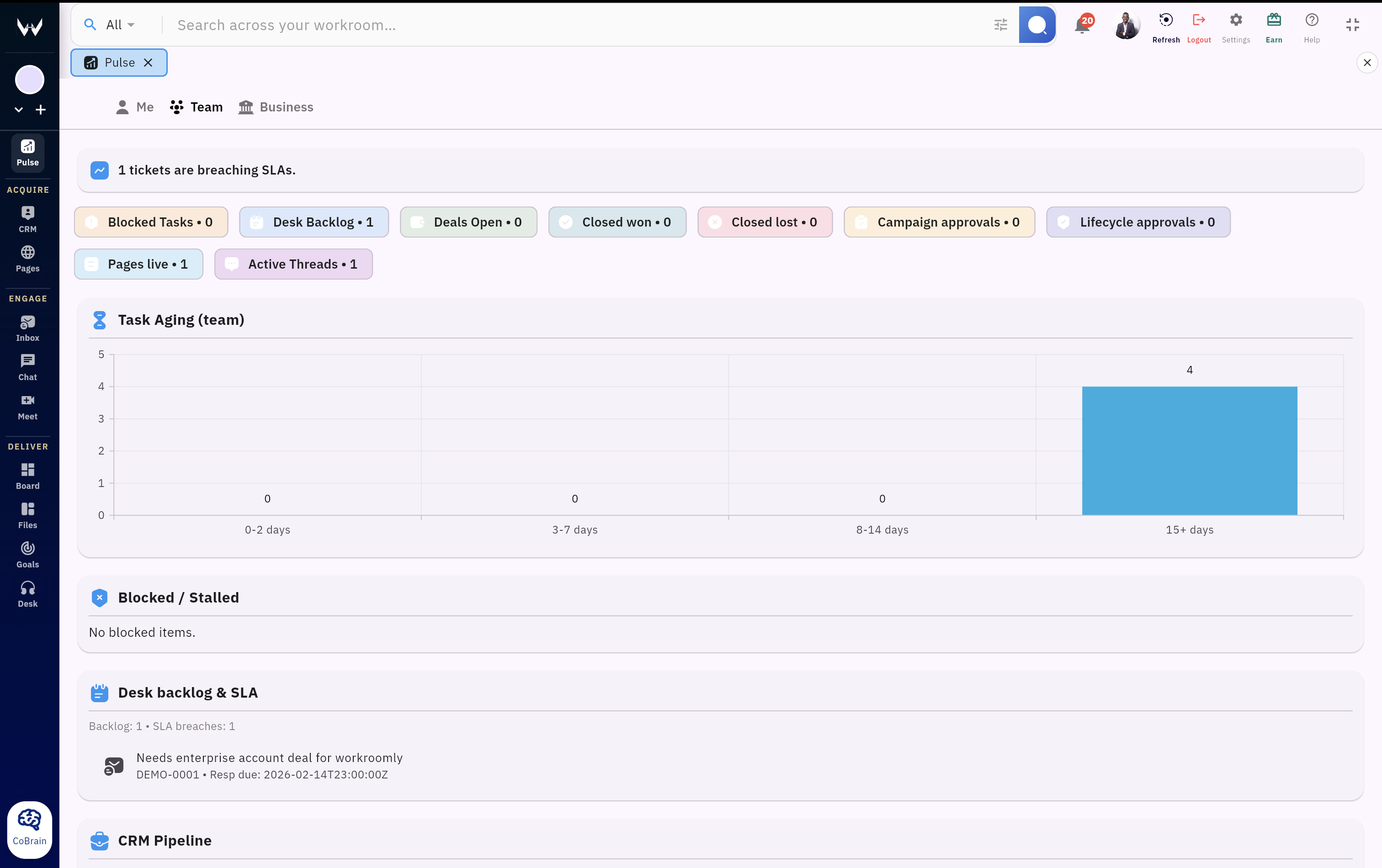
Team Pulse
Team Health That Managers Can Trust
Surface execution pressure before it becomes a meeting: task aging, blocked work, desk load, open deals, page submissions, and communication follow-up.
- Task aging and blocked work by team
- Open tickets and support queues
- Pipeline, won/lost movement, and deal risk
- Pages activity and customer requests routed into work
Business Pulse
Revenue and Customer Signals
Keep executives and operators close to pipeline movement, deal value, support load, customer touchpoints, and goal progress.
- Open value, won/lost trends, and pipeline movement
- Tickets by desk and customer escalation load
- Goals and business priorities in one view
Follow-through
Every Signal Can Become Action
Pulse does not stop at reporting. The useful signals connect back to the record, so teams can fix the issue immediately.
- Open the task, meeting, email, ticket, or deal
- Move from signal to source without context loss
- Reduce status chasing and dashboard hunting
AI Summary
The Page Explains the Day
Pulse can summarize current priorities so the team sees the pattern, not just another list of counts and notifications.
- Summarizes activity, metrics, and current priorities
- Highlights urgent work without noisy alerts
- Keeps the page useful for daily activation
Daily Activation
From first glance to follow-through.
Pulse is built for the first two minutes of a work session: understand the day, choose the right action, and move into execution with context intact.
Open Pulse First
Start from the same operating view instead of jumping between apps.
Read The Summary
AI and metrics call out the work, customer, and team signals that matter.
Scan The Health
Review overdue tasks, meetings, replies, desk load, deals, pages, and goals.
Drill Into Risk
Open the source task, ticket, deal, page, email, or meeting from the signal.
Close The Loop
Resolve the work in context, then return to Pulse for the next priority.
Platform Advantage
Pulse works because the workspace is connected.
Traditional dashboards depend on someone wiring reports after the fact. Pulse sits inside the Workroomly operating system, so the signal and the work stay connected.
TraditionalDisconnected Dashboards
- Reports show metrics after work has already drifted
- Activity lives inside separate tools and inboxes
- Leaders still need meetings to understand what is stuck
- Team members cannot jump directly from signal to action
Result: the dashboard exists, but the team still has to discover the work manually.
WorkroomlyWorkroomly Pulse
- CRM signals show deal movement, risk, and revenue activity
- Boards signals show task aging, blockers, and execution progress
- Desk signals show open tickets, escalation load, and service pressure
- Pages signals show submissions, routed requests, and response flow
- Files signals show creation, sharing, and document follow-through
- Mail, chat, and meetings reveal communication follow-up and calendar pressure
- Goals signals show progress toward strategic objectives
Pulse becomes the operating health screen that tells every role what needs attention and where to act next.
Competitive Context
Workroomly Pulse vs isolated activity products.
Chat feeds, document updates, and project dashboards each show a slice. Pulse is the connected operating view that shows what needs attention and where to act.
Swipe horizontally to compare all options
| Capability | Workroomly Pulse | Chat Activity | Document Updates | Project Dashboards |
|---|---|---|---|---|
| Cross-workspace operating signal | Native Unifies CRM, boards, desk, pages, files, mail, chat, meetings, and goals. | Channel-Centric Strong conversations, but business work still lives elsewhere. | Document-Centric Great for page edits, lighter for daily operating health. | Board-Centric Strong project views, narrower context outside board work. |
| Deal movement and revenue signal visibility | Included CRM events are first-class signals inside Pulse. | Integration Needed Depends on external CRM notifications and manual triage. | Manual Sync Revenue updates usually require custom docs or workflow glue. | Custom Build Possible with setup work and ongoing dashboard maintenance. |
| Support escalation and issue visibility | Native Desk escalation events flow directly into Pulse context. | Alert-Based Can show alerts, but issue context often lives in a service tool. | External Not a core support escalation feed by default. | Workflow-Driven Trackable with board design, less native customer-service context. |
| Action path from signal | Direct Signals link back to the task, deal, email, meeting, ticket, page, or goal. | Discussion Excellent for conversation, weaker for structured operational follow-through. | Documentation Useful for page changes, less direct for customer operations action. | Dashboard Actionability depends on how the dashboard and integrations were built. |
Team Outcomes
A better first screen for every operating team.
Pulse improves activation because the value appears immediately: people see what deserves attention and move straight into the right work.
Founders and Leaders
See revenue, support, delivery, and communication health without asking every team for updates.
Sales and Customer Ops
Catch lead intake, deal risk, follow-ups, and customer requests before the next opportunity goes cold.
Delivery Teams
Spot task aging, blockers, page requests, and handoff gaps before they become missed deadlines.
Support Teams
Keep desk load, escalations, and customer-impacting work visible beside the rest of operations.
Remote Teams
Replace status chasing with a shared operating screen that keeps distributed work aligned.
Make Pulse the first screen your team opens.
Give every role a live view of priorities, team health, customer signals, and the next action across the full Workroomly workspace.