Consultation booking
Visitors choose an open slot, answer your intake questions, and get the right meeting link.
Tue 10:30 AMOpen
Wed 2:00 PMOpen
Workroomly Meet connects public booking pages, live rooms, recordings, transcripts, AI summaries, and task creation so every customer conversation ends with a clear owner and a visible next move.
Visitors choose an open slot, answer your intake questions, and get the right meeting link.
Run the room, keep the recording consent visible, and preserve the session history.
Customer wants onboarding, billing setup, and domain routing completed before launch.
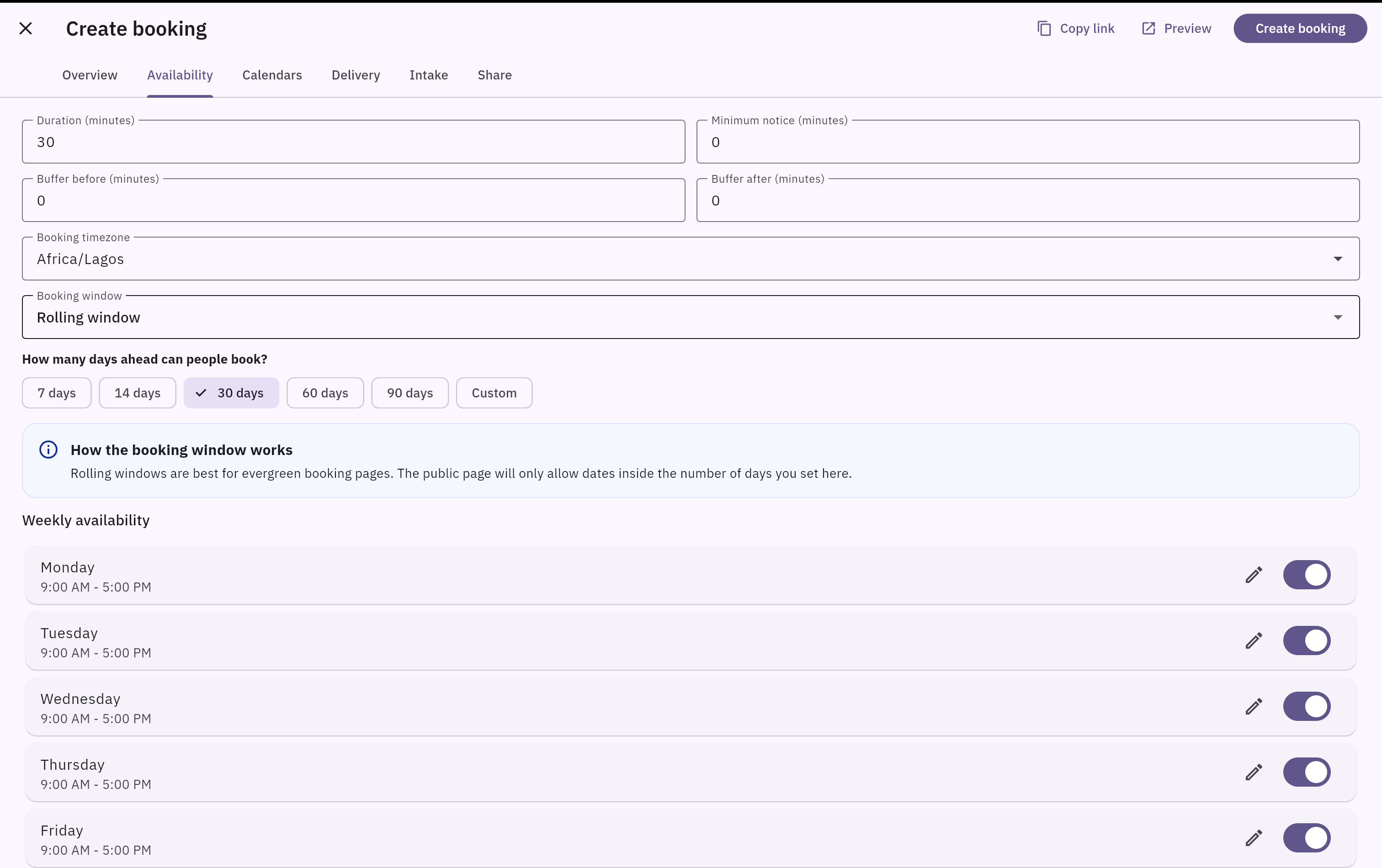
Give prospects and customers a clear booking path with availability, timezone clarity, and intake details.
Keep rooms, recordings, transcripts, AI summaries, and session details together.
Create tasks from meeting outcomes and keep the work connected to the session record.
Meeting links, booking pages, recordings, transcripts, notes, and tasks often live in separate tools. Workroomly Meet keeps the full cycle close to the teams and workstreams that depend on it.
Customers need a simple booking page, while teams need availability, timezone clarity, intake answers, and room ownership.
Teams leave calls with recordings or raw transcripts, but no clear summary of what changed or who owns the next step.
Action items become copied messages or vague tasks instead of linked work connected to the meeting and customer record.
Meet combines the front door for scheduling with the back office for records, transcripts, AI insights, and task follow-through.
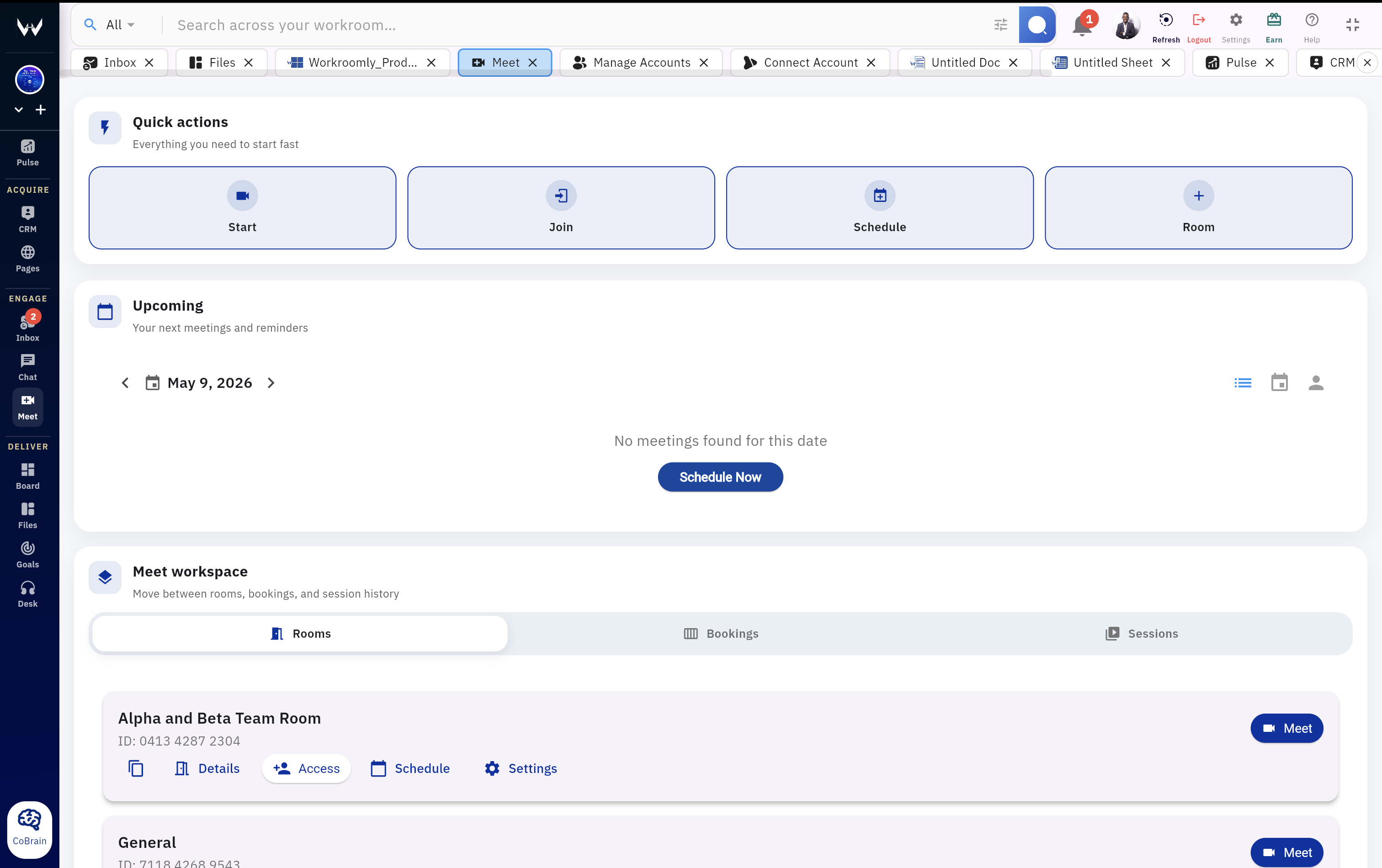
Start, join, schedule, or create rooms from one meeting workspace.
Publish booking links with available slots, intake questions, timezone clarity, and delivery options.
Give invitees controlled self-service while keeping the appointment history clean.
Manage meeting rooms, recording settings, passwords, consent, and recording access.
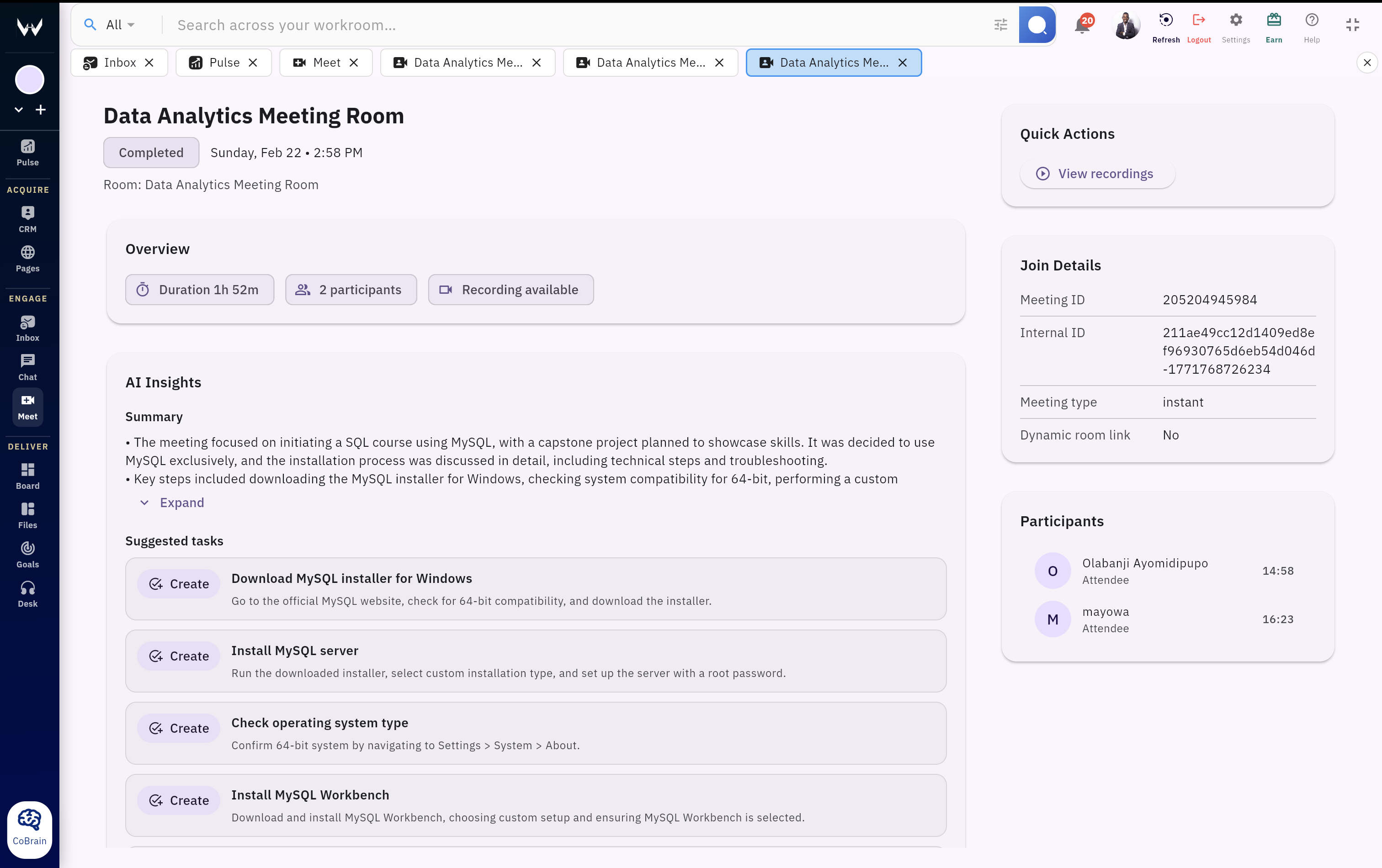
Turn meeting history into a clear record that is easier to review than raw notes.
Move from discussion to execution without manually rewriting action items.
Meet keeps each stage visible: how the meeting was booked, what happened in the room, what the AI captured, and which tasks need ownership.
Create a booking page with duration, timezone, availability, intake questions, and meeting delivery.
Invitees choose a slot, add details, and receive the right join experience.
Run the session in a Workroomly room or route it through the configured external link.
Review recordings, transcripts, AI summaries, and the key decisions from the session.
Create suggested tasks, open linked work, and keep the meeting connected to delivery.
The interface is built for repeated meeting operations: quick actions, upcoming sessions, booking management, rooms, and history.

Meeting output is most useful when it can become a task, customer update, project decision, file, support action, or team conversation without another handoff.
Create tasks from AI-suggested action items and keep owners visible.
Keep sales calls and customer decisions close to account context.
Connect customer escalations and support reviews to follow-up work.
Schedule from communication and keep meeting links near the thread.
Keep recordings, transcripts, and supporting documents close to the work.
Discuss meeting decisions internally without losing the session record.
Send booked visitors to clear follow-up destinations when needed.
Ask questions across transcripts, decisions, files, and workspace context.
Use Meet for the calls that need scheduling discipline, captured context, and visible follow-through after the conversation ends.
Publish a booking page, collect intake answers, run the call, and create follow-up tasks from the summary.
Capture decisions, preserve the transcript, and turn agreed fixes into owned work.
Schedule onboarding calls, share recordings when appropriate, and keep tasks tied to customer outcomes.
Review blockers, summarize decisions, and create board tasks while the context is fresh.
Let invitees book, cancel, or reschedule online while the team keeps the appointment record.
Manage recording access, public sharing, password protection, downloads, and consent visibility.
Workroomly Meet connects booking, live rooms, recording records, transcripts, AI insight, and task creation in the same workspace.
| Need | Workroomly Meet | Video meeting app | Scheduling tool | AI note taker |
|---|---|---|---|---|
| Booking flow | Public booking pages, available slots, intake answers, cancel and reschedule links. | Usually depends on calendar integrations or separate tools. | Strong at booking, but not the meeting workspace. | Usually starts after the meeting begins. |
| Live meeting | Rooms, start/join actions, scheduled sessions, passwords, and role-aware access. | Strong call experience, often disconnected from follow-through. | Routes to another meeting tool. | Joins or records calls but does not own the room system. |
| Record and review | Meeting history, recordings, public sharing, passwords, transcripts, and downloads. | May provide recordings, but review and work context are separate. | Usually does not manage recordings. | Strong for notes, weaker for room and booking management. |
| AI follow-through | AI summaries and suggested tasks can become linked Board work. | Action items often need to be copied into other tools. | Not designed for post-meeting execution. | Produces summaries, but task ownership may live elsewhere. |
| Workspace context | Meet works alongside CRM, Desk, Boards, Files, Chat, Inbox, Pages, Pulse, and CoBrain. | Limited to the call and calendar layer. | Limited to scheduling and reminders. | Limited to notes unless integrated deeply. |
Give the team one place to book, meet, capture, review, and execute without losing the context that makes follow-through possible.