Connect accounts
Start with the mailboxes and calendars your team already uses.
Bring connected mailboxes, hosted business email, calendar, AI triage, signatures, forwarding, and auto-replies into the same workspace where customer work actually gets finished.
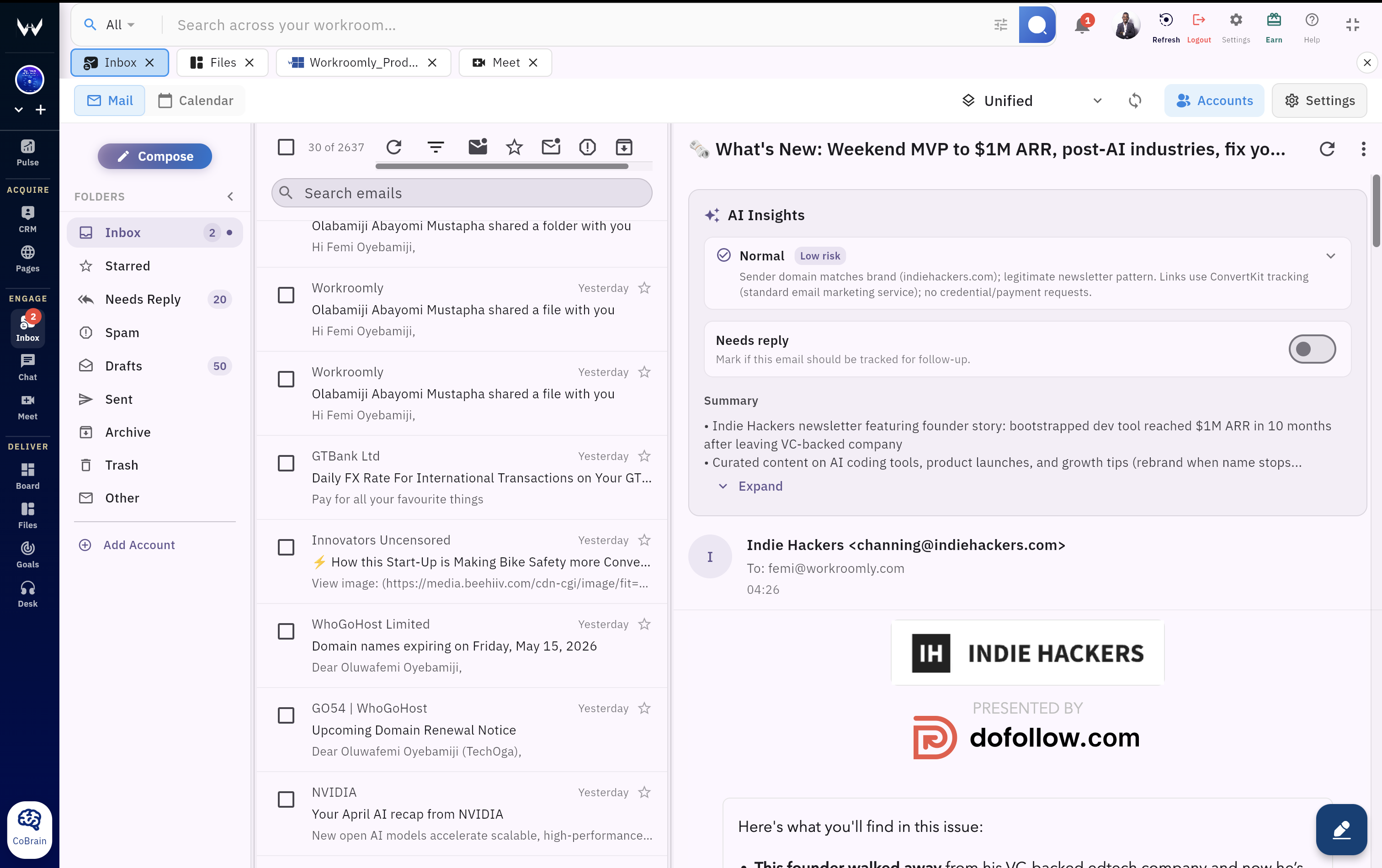
Start with the mailboxes and calendars your team already uses.
Use folders, search, unread filters, sync status, and AI classification.
Compose, attach, schedule send, use signatures, or create the meeting.
Attach the conversation to CRM, Desk, Boards, Files, Meet, Chat, Pages, or Pulse.
A buyer asks for a quote, a customer forwards a problem, a founder schedules a call, and the actual follow-through gets scattered across tabs. Workroomly Inbox keeps the communication layer close to execution.
Teams switch between personal mailboxes, shared accounts, calendars, CRM notes, support threads, and project work.
Important requests compete with newsletters, internal updates, and low-value messages until someone remembers to act.
Email turns into screenshots, copied text, or vague tasks instead of traceable customer work with the full conversation attached.
Connect accounts, clean the queue, respond with context, and keep ownership visible from the first working session.
Work from all connected accounts or filter by account without losing the thread view.
Summaries, reply signals, classification, and suggested work help users decide faster.
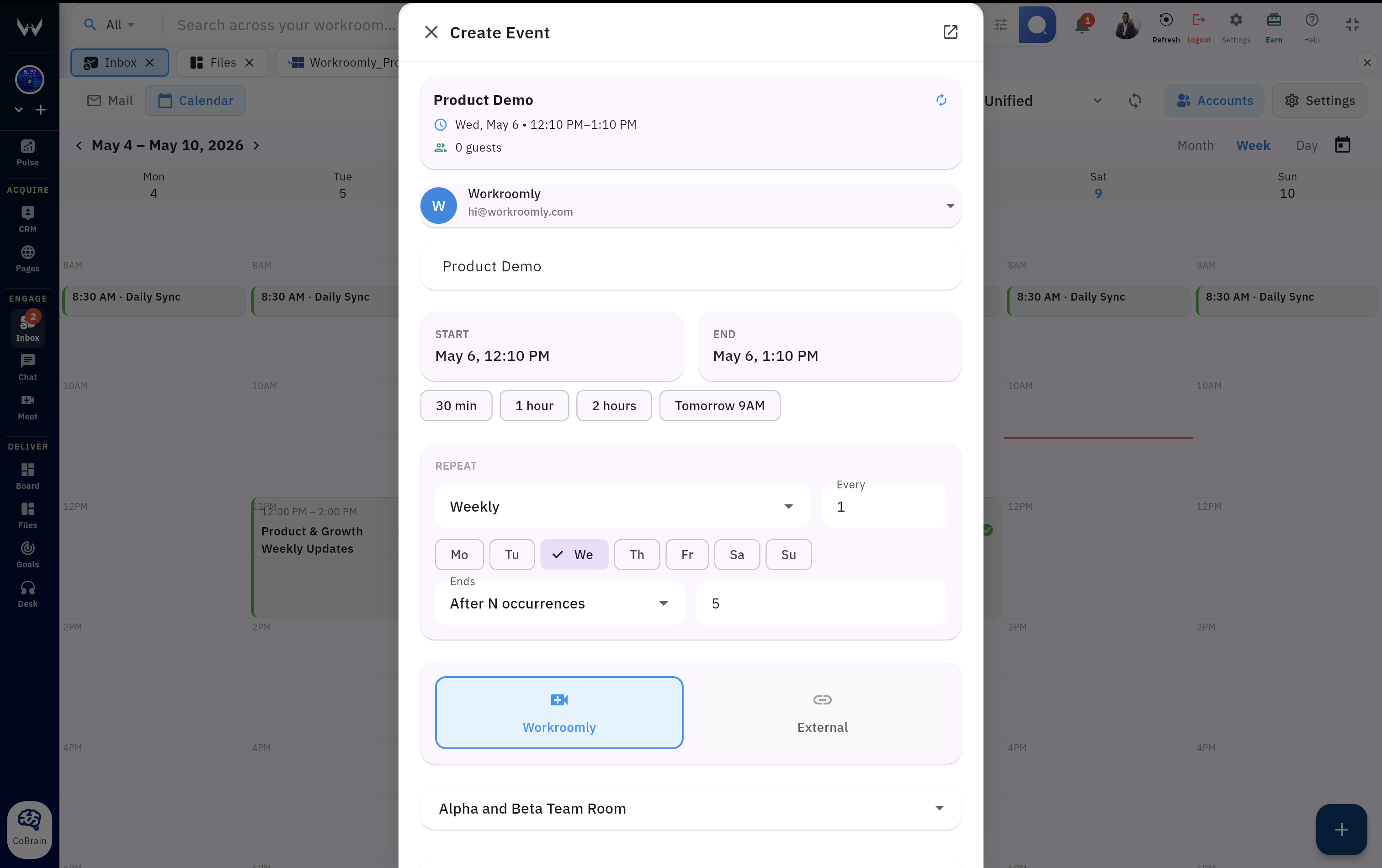
Schedule the meeting while the email context is still visible.
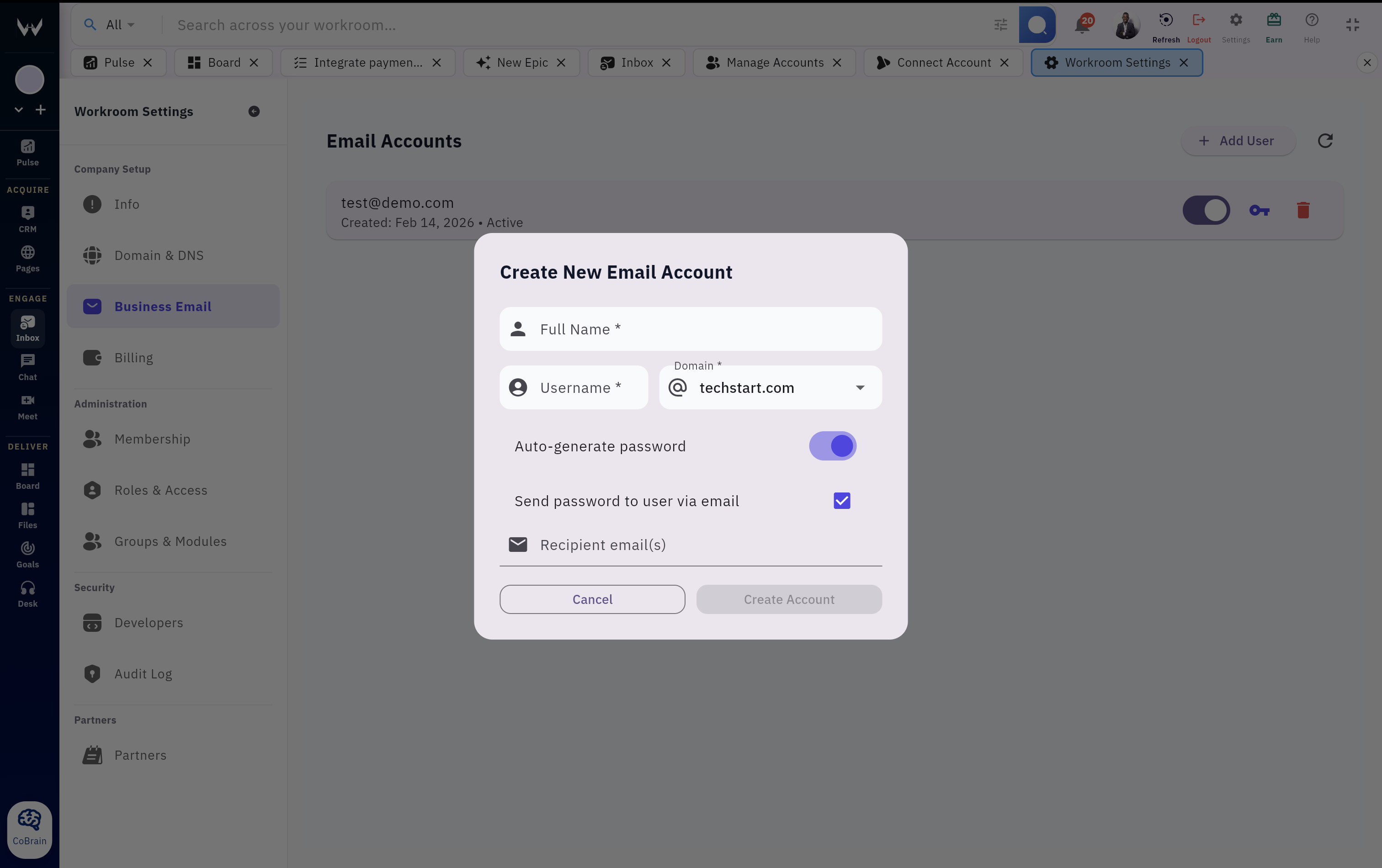
Create professional mailboxes on your domain without managing separate admin surfaces.
Reply, forward, draft, attach files, schedule sends, and apply the right signature.
Settings turn repetitive handling into repeatable customer communication.
Connect accounts, triage the right conversations, take action, and keep a durable record of the customer work that follows.
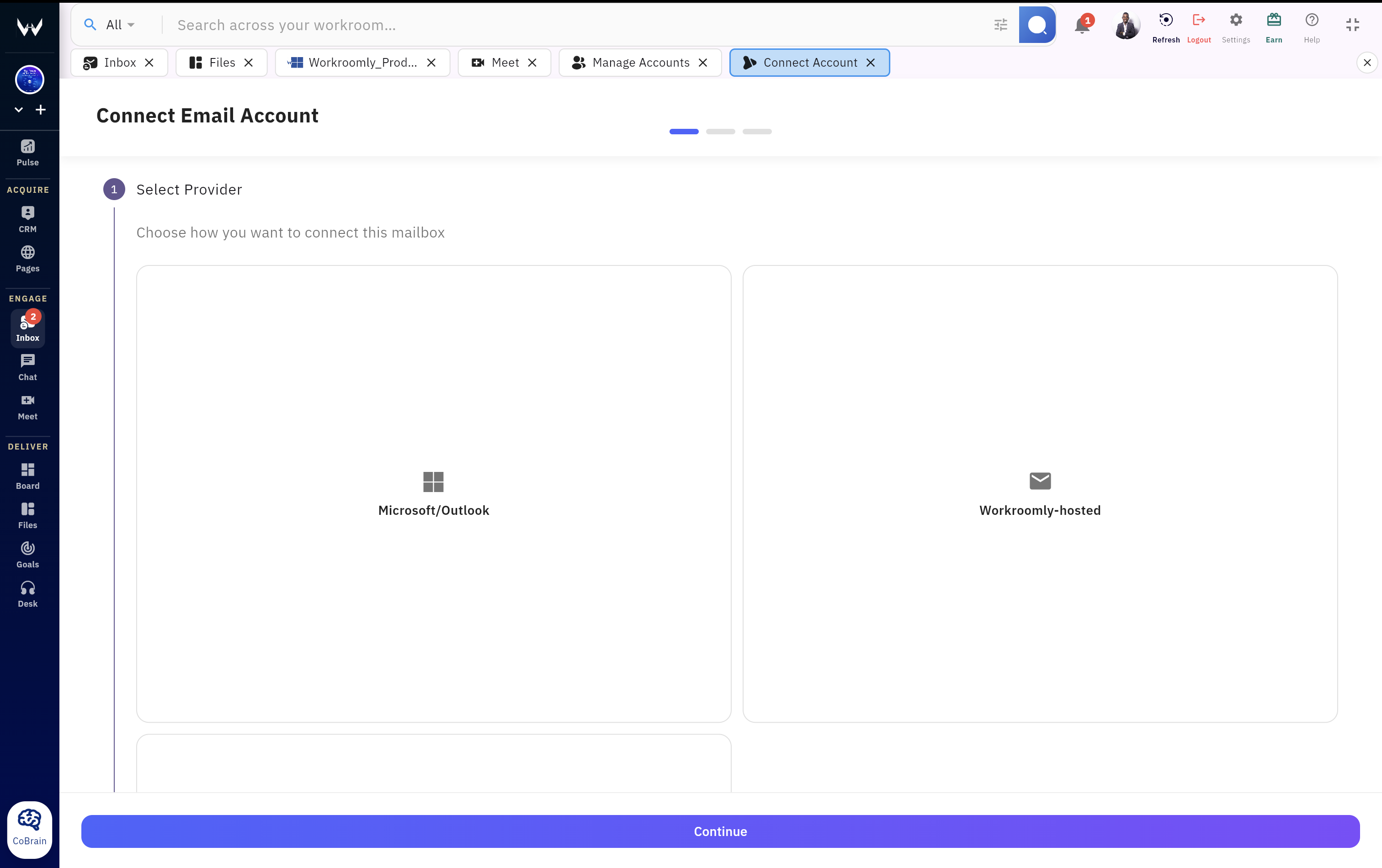
Add existing accounts or create hosted domain mailboxes for the team.
Bring folders, unread counts, threads, and calendars into a single workspace.
Use AI summaries, categories, needs-reply signals, and search to find priority conversations.
Reply, schedule the meeting, forward, archive, create a task, or hand off to support.
Keep customer communication connected to the CRM record, ticket, board item, file, or meeting.
Account selector, message list, detail pane, calendar, and business email settings stay close together so teams can move from conversation to next step quickly.
Inbox keeps customer conversations close to the modules where teams manage pipeline, support issues, projects, meetings, files, internal discussions, pages, and operating signals.
Keep buyer conversations near deals, contacts, and follow-up ownership.
Move customer issues into support queues without losing the original context.
Turn requests and AI-suggested tasks into trackable execution.
Schedule the call and keep the conversation attached to the meeting flow.
Keep attachments and customer documents close to the work that needs them.
Discuss the thread internally without losing the customer-facing record.
Publish follow-up pages when a campaign, offer, or customer flow needs a clear destination.
Use communication signals as part of team rhythm, health, and response quality.
Use Inbox for the messages that need ownership, context, and a clear next action across sales, support, operations, scheduling, and admin workflows.
A prospect replies to a campaign. The team sees the thread, schedules a meeting, and keeps the conversation linked to the opportunity.
A customer reports a problem by email. The message becomes actionable support work with context, attachments, and visible responsibility.
Create addresses like sales, support, billing, or partnerships on the company domain, then manage response workflows in Workroomly.
When an email needs a meeting, users can move from thread to calendar without reopening the conversation in another product.
Summaries, classification, and needs-reply signals help operators finish the daily inbox review with fewer missed handoffs.
Use signatures, forwarding rules, auto-replies, and hosted account controls to keep communication professional as the team grows.
Workroomly Inbox combines communication, business identity, triage, scheduling, and follow-through in the same operating workspace.
| Need | Workroomly Inbox | Standalone email client | Shared inbox tool | Business email hosting |
|---|---|---|---|---|
| Daily communication | Connected accounts, folders, search, unread filters, message detail, and calendar in one workspace. | Strong personal mailbox experience, but work context stays outside. | Good for shared queues, often less complete for individual work. | Provides addresses and delivery, not the operating workflow. |
| Customer context | Conversations can sit near CRM, Desk, Boards, Files, Meet, Chat, Pages, and Pulse. | Usually depends on extensions, copying, or switching tools. | Often limited to the queue rather than the full operating system. | Does not manage customer execution after mail is delivered. |
| Triage quality | AI summaries, classification, needs-reply signals, and suggested tasks help users decide faster. | May provide summaries, but handoff is still separate. | Can route conversations, but may not connect to broader work. | Usually not designed for team triage. |
| Business identity | Hosted domains, mailboxes, aliases, DNS checks, signatures, forwarding, and auto-replies. | Uses existing identity, usually no native hosting layer. | Uses connected accounts rather than owning domain setup. | Strong hosting foundation, but disconnected from customer work. |
| Follow-through | Reply, schedule, create tasks, hand off issues, and keep a durable workspace record. | Follow-up often depends on personal discipline. | Queue ownership is useful, but execution may move elsewhere. | Not built for CRM, support, projects, or meetings. |
Give the team one place to receive, understand, schedule, respond, and move conversations into the work that proves follow-through.